The team kitty in bolzn
Fees, fines, shared costs and every transaction of your team in one place. The treasurer records it, the team sees where things stand – no scraps of paper, no spreadsheet and no chasing people in the group chat.
Inside the Team finances feature
Balance and transactions
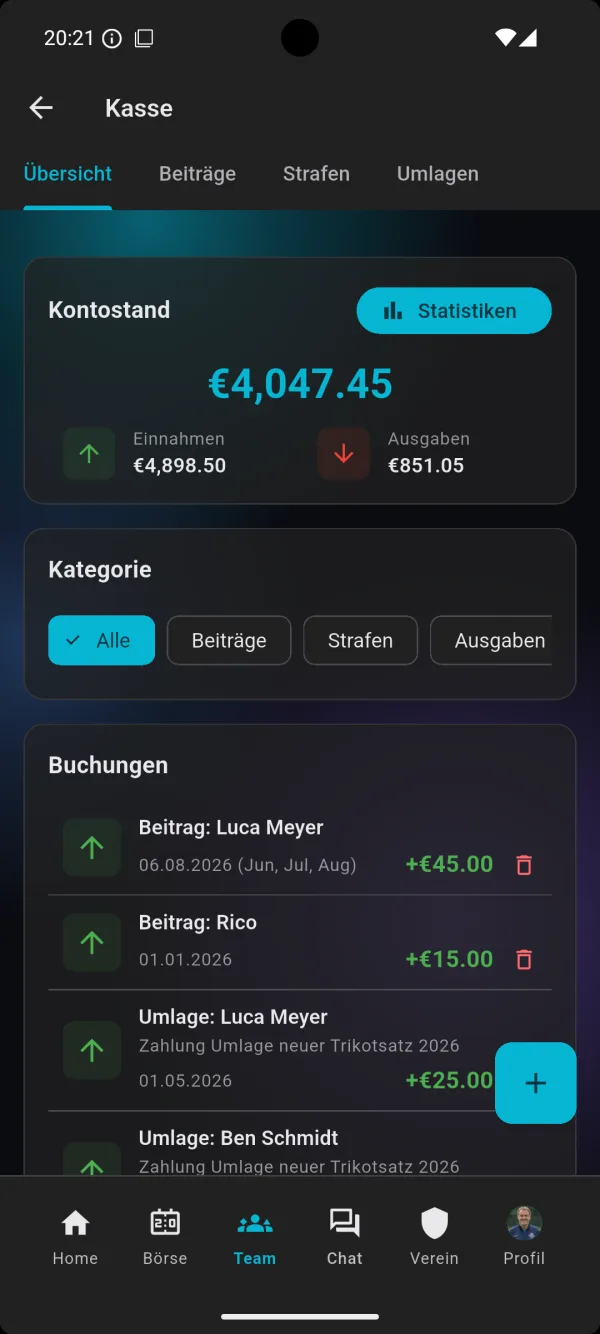
The overview shows the current balance of your team kitty, with income and expenses underneath. Every transaction is listed with date, amount and purpose – fees, fines and expenses can be filtered by category. That way it is always clear where the money comes from and what it was spent on.
Membership fees
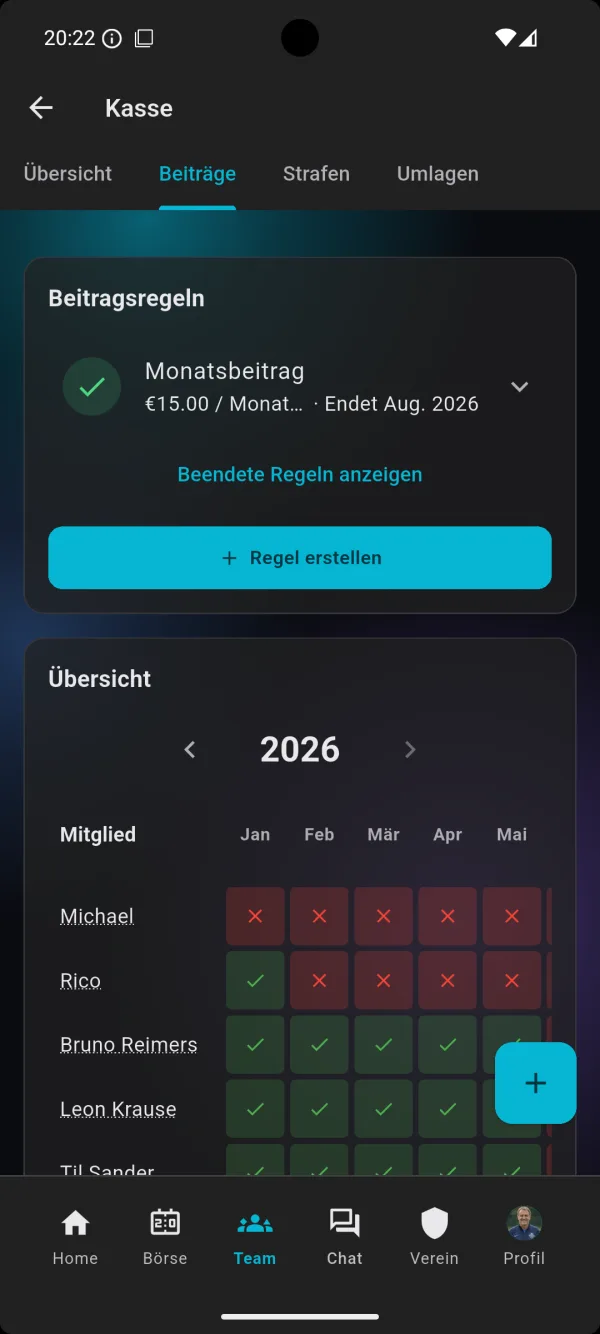
Create a fee rule, for example a monthly fee with a fixed amount and an end date. The yearly overview shows for each member and month who has already paid and what is still outstanding. Green tick or red cross – the treasurer doesn't need to look any further.
Shared costs
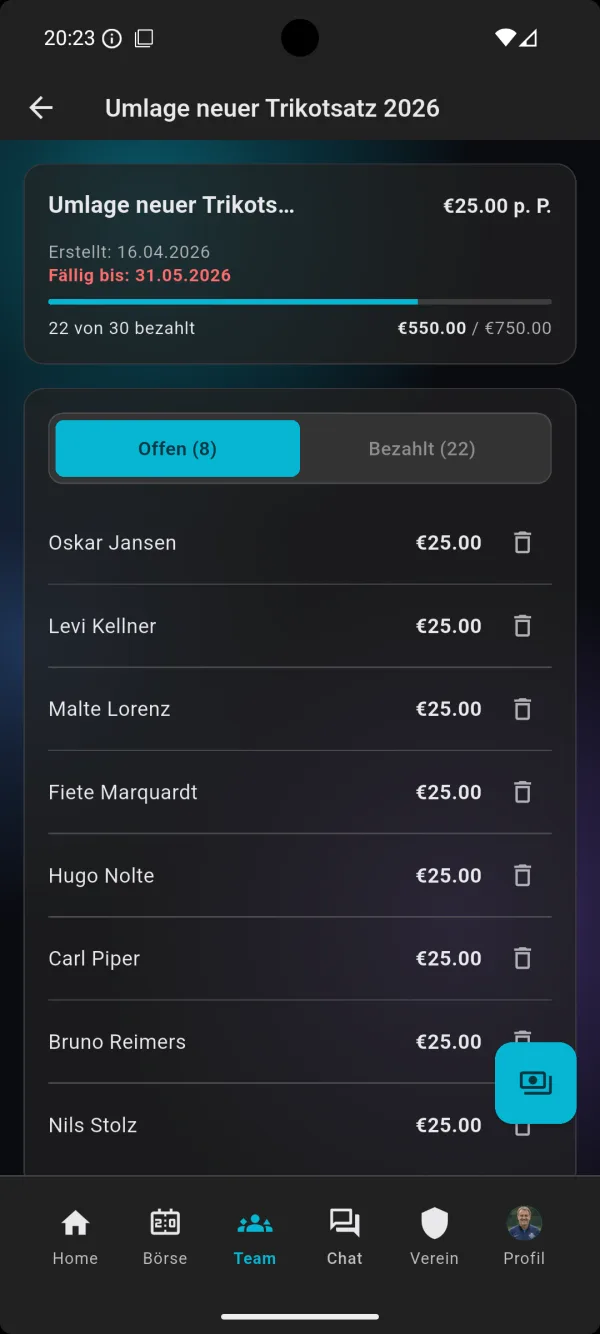
A team trip, new kit, a tournament entry fee or the bus to an away game: for one-off costs you create a shared cost with an amount per person and a due date. A progress bar shows how many have already paid and how much money is still missing; open and paid items are listed separately.
Fines with a fine catalogue
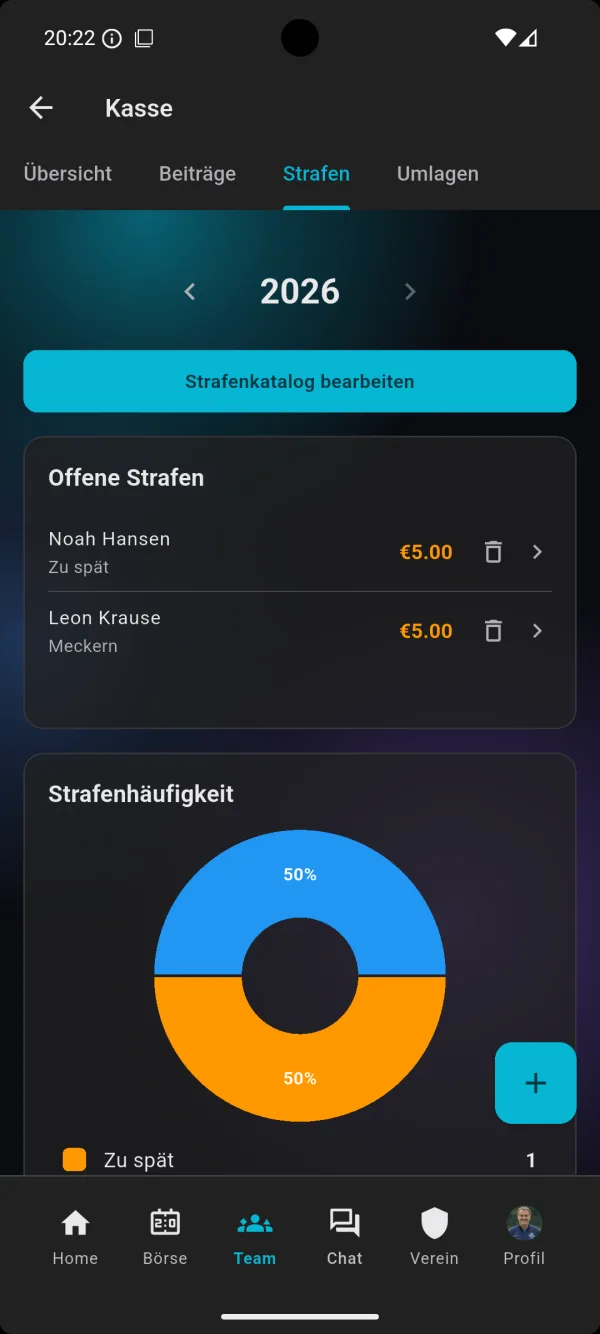
Late for training, moaning at the referee, phone in the dressing room: in the fine catalogue you set your own fines and amounts. Open fines are visible at a glance, and the fine frequency statistics show what happens most often in the team.
Sales lists
For the cake stall on match day or the club party you create sales lists as a PDF with a PayPal QR code.
How it works in three steps
1. Set up the kitty
Open the team finances area in your team and create the fee rule: the amount per month and how long it applies. Fill the fine catalogue with your own rules – once set up, it applies for the whole season.
2. Record payments
When someone pays their fee, a shared cost or a fine, you record the transaction in a few taps. Expenses – for balls or the team party, say – are booked the same way. The balance updates automatically.
3. Keep track
The monthly overview shows who is behind with their fee, every shared cost shows its progress, and open fines are collected in one place. Instead of reminders in the group chat, a glance at the app is enough.
For treasurers, coaches and players
Treasurer
No more spreadsheet that only lives on one laptop. All income and expenses sit neatly in one list, and you keep fees and shared costs under control without doing the maths yourself. At the end of the season you see at a glance where the kitty stands.
Coach
As a coach you want to organise football, not collect money. Because the kitty is part of bolzn, it sits right next to training sessions, matches, line-ups and polls – no extra app and no extra list. You can see in seconds whether the money for the tournament is in.
Players and parents
Transparency builds trust: the team can see who has paid in and what the money is spent on. That saves arguments and makes sure nobody feels left out – especially in youth teams, where parents pay the fees.
The team kitty on video
In just under three minutes, this tutorial shows how to manage the team kitty in bolzn – from the first transaction to the overview of fees, shared costs and fines.
You can find more guides in the Tutorials on the home page and on our YouTube channel.
Frequently asked questions
Does the team kitty cost extra?
No. The kitty is part of the bolzn team plan at no extra charge – together with training planning, tactics board, inventory, match finder, live ticker, polls and statistics. You can try it free for the first 3 months; for all prices see Pricing.
What is the difference between a fee and a shared cost?
A fee recurs regularly, for example every month, and is set with a fee rule. A shared cost is a one-off collection for a specific purpose – with an amount per person and a due date, for example for a team trip, a new kit or a tournament.
Can I create my own fine catalogue?
Yes. In the fines area you edit your team's fine catalogue and decide which fine costs how much. Fines that have been issued appear as open items until they are paid.
Does the kitty work on a phone and in the browser?
Yes. bolzn is available as an app for Android and iPhone and in the browser at my.bolzn.app. That way you can record payments at the pitch and check them on your laptop at home.
Do I have to use every bolzn feature?
No. You can start with the kitty and add training planning, the match finder or inventory later. Whatever you don't need, you simply leave out.
Try the kitty free for 3 months
Set up the team kitty in a few minutes and invite your team. Ad-free and cancel monthly.
Try free for 3 months→