The tactics board for your drills
Draw drills and training games right in the app: players, goals, cones, runs and passes on the pitch, with real measurements and in several scenes in a row. The sketch belongs to the drill and goes with it into the training plan – no more photographing magnet boards and no loose notes in the coach's bag.
Inside the Tactics board feature
The right pitch
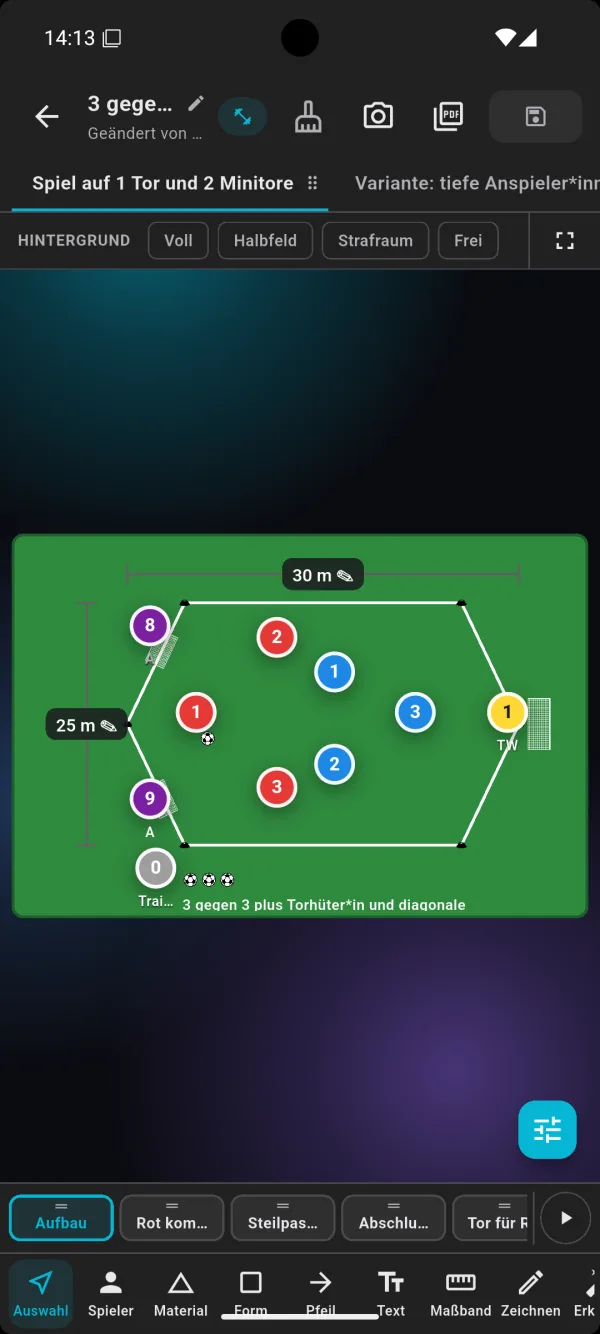
Choose the full pitch, half a pitch, the penalty area or a blank area as the background. That way the sketch fits the drill – from shooting practice in the box to a training game across half the pitch.
Players, equipment and shapes
Place players with numbers and team colours, goalkeepers, coaches, balls, goals and cones. Shapes mark out areas and zones, arrows show runs and passes, and text adds short notes.
With real measurements
With the measuring tape you add lengths and widths, for example 30 by 25 metres. That way every assistant coach knows how big to mark out the area. You can record distances between goals or zones the same way.
Scenes and variations
A drill often has several steps: build-up, pass, finish. Create several scenes for it and play them one after another. Variations of a drill – with deep target players, for example – sit next to it as separate tabs.
From the tactics board to training
1. Draw the drill
Create a new drill, choose the pitch and draw the set-up and sequence. Several scenes show step by step what should happen.
2. Describe the drill
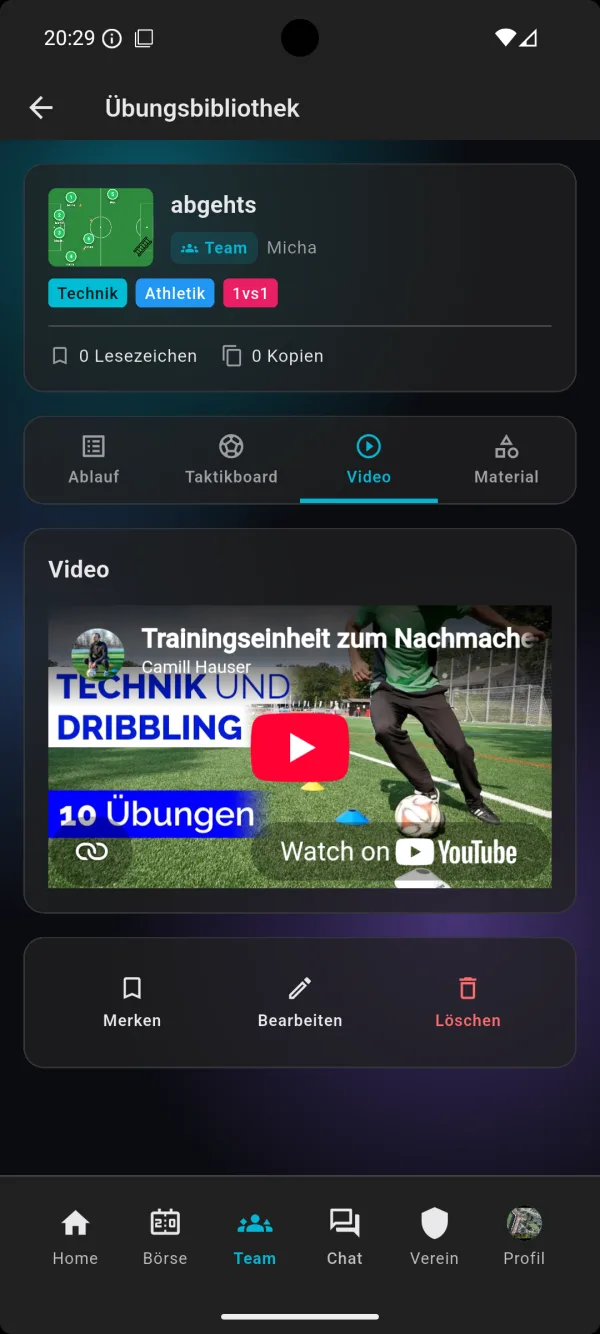
Add the description, coaching points, number of players, duration and equipment, and a video if you like. The drill is then in your library and can be shared with the team.
3. Use it in training
Add the drill to a training session. On the pitch you have the sketch with you on your phone – more on this under Training planning.
For coaches and assistant coaches
Clearly explained
A good sketch saves long explanations on the pitch. With scenes you show not just the positions but the sequence – from the first pass to the finish. Especially with new training games, players understand the sequence faster once they have seen it.
Aligned within the coaching team
Because drills are shared within the team, head coach and assistant coaches work with the same sketches. Whoever leads a drill has the measurements, equipment and coaching points to hand.
For every age group
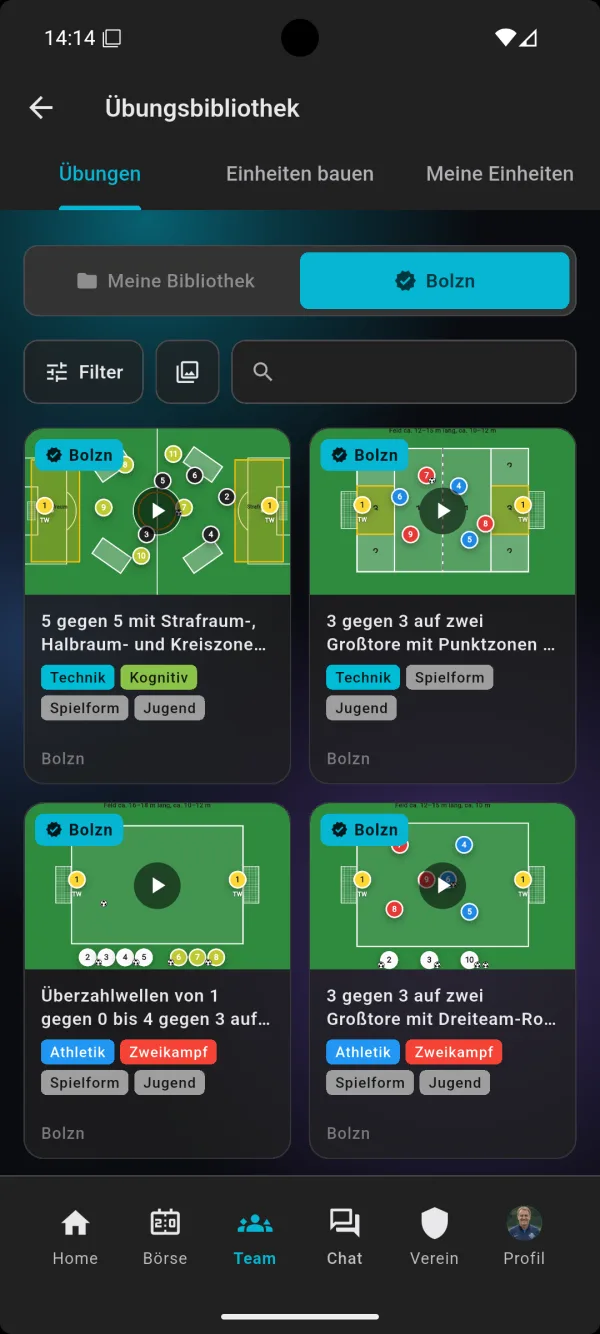
Whether kids' football with small pitches and mini goals or a men's team with training games across half the pitch: you set the pitch, number of players and measurements to suit each drill. For youth teams the library offers its own drills, tagged accordingly.
Inspiration from the library
The drills in the bolzn library come with a ready-made tactics board sketch. You can take them over and use them as a starting point for your own variations. Filters and tags like technique, fitness, duels or small-sided games quickly lead you to the right idea for your next session.
Frequently asked questions
Does the tactics board cost extra?
No. The tactics board is part of the bolzn team plan, together with Training planning, drill library, team kitty and Inventory. You can try it free for the first 3 months; for all prices see Pricing.
Which pitches are available?
You can choose the full pitch, half a pitch, the penalty area or a blank area as the background.
Can I animate sequences?
You create several scenes, for example build-up, pass and finish, and play them one after another. That makes the sequence of a drill visible step by step.
Can I draw variations of a drill?
Yes. You create variations as separate tabs next to the basic form, for example with different target players or a different pitch.
Does the tactics board work on a phone?
Yes. bolzn is available as an app for Android and iPhone and in the browser at my.bolzn.app.
Draw your drills with bolzn
Try the tactics board, drill library and training planning free for 3 months. Ad-free and cancel monthly.
Try free for 3 months→